
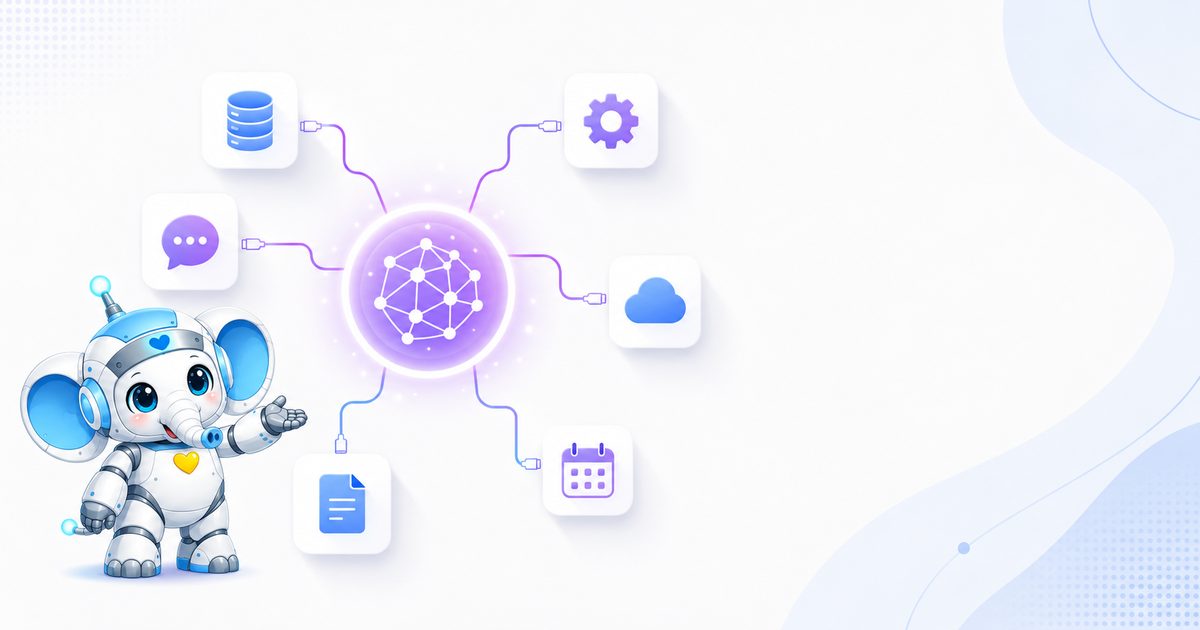
Imagine you hired the smartest consultant in the world; someone who knows everything, but sits in a room with no phone, no internet and no access to any files. Every time you ask a question, they answer only from memory. This was exactly the situation of large language models until just a few years ago: superb at understanding and writing, but completely cut off from the real world and your live data.
The Model Context Protocol (MCP) was built to solve exactly this problem. In less than two years this standard went from an internal idea at Anthropic to shared infrastructure for the entire AI industry; a standard that today OpenAI, Google and Microsoft all support. In this article we explain, without complex jargon and step by step, what MCP exactly is, how it works, and why it matters for any business that wants real results from AI.
What exactly is MCP?
MCP stands for Model Context Protocol; an open, open-source standard that Anthropic (the maker of the AI Claude) introduced in November 2024. This protocol’s job is simple but fundamental: defining a “shared language” so any AI model can connect to and use external data, tools and services in the same way.
The simplest analogy experts use for MCP is a USB-C port for AI. Before USB was standardized, each device had its own cable and port; a phone one cable, a camera another, a laptop something else. USB-C brought them all under one standard. MCP does exactly this for connecting AI to systems: instead of building a manual, custom connection for each combination of “model” and “tool,” they all follow one single protocol.
In one sentence: MCP is an open standard that lets AI models discover, access and act on external tools and data — without writing custom code for each connection.
The problem MCP solves: the N×M dilemma
To understand why MCP became so popular so fast, we need to know the problem that existed before it; a problem Anthropic’s engineers call the “N×M dilemma.”
Suppose you have N different AI applications (say a few chat assistants, a few custom agents, a few coding tools) and you want to connect each to M external services (GitHub, messaging, database, sales system, etc.). In the traditional approach, you must build a separate connection for each combination. That means, in the worst case, N times M different connections! Each connection needs its own custom code, may break every time a model is updated, and maintaining it becomes a nightmare.
MCP turns this dilemma into an “N+M problem.” Tool makers build one “MCP server” per service, just once (M in total), and app developers implement one “MCP client” per app, just once (N in total). Now any application can talk to any service that has an MCP server. This means less code, easier maintenance and connections that do not break when a model changes.
If you want to know how the language models behind all this actually think, I suggest taking a look at the article how large language models work for a more complete picture of the puzzle.
MCP architecture: host, client and server
MCP’s architecture is built on a classic, proven model: client-server. But in MCP we have three main actors whose roles we should know precisely:
1. Host
The host is the AI application the user works with directly and where the language model lives; like the Claude desktop app, code editors such as VS Code and Cursor, or a custom agent you built yourself. The host is the main coordinator and can manage several clients at once.
2. Client
The client lives inside the host and its job is to maintain one connection with a specific MCP server. The client acts like a translator: it translates the model’s requests into the protocol’s language and translates the server’s response back into a language the model understands. The key point is that each client has a one-to-one relationship with a server; if the host wants to connect to three servers, it creates three separate clients.
3. Server
The server is an external program that provides capabilities, data or tools to the model. The server is what connects to real systems like a database, an API or local files, and translates their response into a form the model understands. Servers can be local (running on the same device) or remote (on a cloud server, accessible to many users).
A concrete example: When VS Code connects to the MCP server of a service like Sentry, it is acting as the host. It creates a client for this connection. If it later wants to connect to a local-files server too, it creates a second client. Each client is responsible for one connection and all work under the host’s management.
MCP’s core components: tools, resources and prompts
The heart of MCP is in what are called primitives; the building blocks that define what the server can offer the model. Three server-side primitives are the most important:
| Component | Controlled by | Function |
|---|---|---|
| Tools | the model | Functions the model can call to do something; like sending an email, placing an order or calling an API. These can have external effects. |
| Resources | the application | Data sources the model can read; similar to a GET request. They return information but have no heavy computation or side effects. |
| Prompts | the user | Ready, reusable templates and workflows that define the best way to use the tools and resources. |
On the client side there are other primitives that make the interaction two-way; like Sampling (which lets the server request text generation from the host model), Elicitation (requesting direct input from the user) and Roots (defining the access scope). This two-way nature is what turns MCP from a simple connection into a full platform for complex workflows.
If you are new to the concept of tools and “function calling,” these are exactly what an AI agent relies on to do independent work; MCP is in fact the standard for getting these tools into the agent’s hands.
How does MCP work? A real scenario
The best way to understand MCP is to follow a real request from start to finish. Suppose you tell your AI assistant:
“Find the latest sales report from the database and email it to my manager.”
The model alone has neither access to the database nor the ability to send email. This is where MCP comes in. The steps go like this:
- DiscoveryThe model, through the client, asks what tools are available. The servers return a list of their capabilities; for example a “database query” tool and a “send email” tool.
- Calling the first toolThe model decides it must first find the report. It builds a structured request and the client sends it to the relevant server.
- Execution in the real worldThe server takes the request, translates it into a safe SQL query, gets the sales report from the database and returns the result.
- Calling the second toolNow that the model has the data, it calls the “send email” tool with the manager’s address and the report content. The server sends the email and confirms.
- Final answerThe model tells you: “I found the latest sales report and emailed it to your manager.” — this whole chain happens behind the scenes in a few seconds.
The beauty is that the model “does not have to” know the technical details of each service. It just needs to see the available tools and decide which to call when. This very decision pattern is what good prompt writing strengthens; if you want to become a pro at it, the Filtor prompt engineering guide is a good starting point.
The transport layer and security
Behind these interactions, MCP uses the JSON-RPC 2.0 protocol; a well-known standard for exchanging messages between programs. But how these messages move happens in two main ways:
- STDIO transport: for local servers that run on the same device. Fast, simple and usually for one client.
- Streamable HTTP transport: for remote servers running on the cloud that can serve many users. It uses HTTP POST and, when needed, Server-Sent Events for live responses.
For security, MCP uses the OAuth 2.1 standard to authenticate remote servers. This is a smart choice, because OAuth is an established, proven security model already used in thousands of enterprise systems; that is, instead of inventing a new security method, MCP builds on something IT managers already trust. Another key point is that control is in the host’s hands; data does not flow from the model to current resources without review, and the organization can define access boundaries, validate inputs and log and audit all activity.
What does AI suggest for your career path?
We designed a smart test that, with a few simple questions, suggests AI-related paths and skills suited to your situation. The result may surprise you.
Start the AI test →MCP vs API, function calling and RAG
One of the most common confusions is mistaking MCP for similar technologies. Let us clarify the boundaries:
MCP vs a regular API
APIs are point-to-point connections with predefined endpoints, built for software-to-software communication. MCP is a protocol layer on top of these APIs that lets AI dynamically discover and call tools. Your API still does the core work; MCP just gives the model a standard way to find and use it.
MCP vs Function Calling
Function calling is the model’s own ability to “decide to use a tool.” MCP is the protocol that “gets the model to” that tool. The two are complementary: function calling answers “should I call a tool?” and MCP answers “how do I reach that tool and talk to it?” Interestingly, this is exactly why OpenAI adopted MCP; so its function-calling infrastructure could reach the large ecosystem of MCP servers.
MCP vs RAG
Both MCP and RAG (retrieval-augmented generation) enhance the model with external information, but their path and goal differ. RAG finds and retrieves information to generate a better answer; its focus is on “knowing.” MCP is a broader system for interaction and taking action; its focus is on “doing.” In practice, the best systems combine both: RAG for large, static knowledge, and MCP for live queries and getting things done.
Summary of the differences: the API is infrastructure, function calling is the model’s decision, RAG brings knowledge, and MCP connects all of these under one standard so the model can actually do something.
The evolution and adoption of MCP
The story of MCP is one of the fastest examples of a standard being adopted in software history. Let us review the key milestones:
- November 2024: Anthropic introduces MCP as an open standard. The protocol was designed by two engineers, David Soria Parra and Justin Spahr-Summers.
- March 2025: OpenAI officially adopts MCP in its products, including the ChatGPT desktop app. Sam Altman writes that people love MCP and they support it too.
- April 2025: Google DeepMind confirms MCP support in the Gemini models. Fierce rivals gather under one flag.
- January 2026: the official MCP Apps extension is introduced, expanding interaction from plain text to interactive user interfaces.
- December 2025: Anthropic donates MCP to the Agentic AI Foundation (AAIF) under the Linux Foundation so it can develop independently of any company and community-driven.
And the numbers shout this growth: by the time of the donation to the Linux Foundation, more than 10,000 public MCP servers were active, and some independent counts in 2026 recorded a figure close to 17,000 servers. The Python and TypeScript MCP development kits reached about 97 million downloads per month in March 2026 — growth reminiscent of the adoption curve of fundamental infrastructure protocols. Large companies like AWS, Cloudflare, Microsoft and Google have also provided enterprise infrastructure for deploying MCP.
The MCP ecosystem: what servers exist today?
One reason MCP moved from talk to action is the explosion of its server ecosystem. You no longer need to build everything from scratch; for many popular services, a ready server exists. A few notable examples:
- Developer tools: GitHub, Sentry and coding platforms have official servers so coding assistants can access the real context of the project. This is the deepest area of MCP adoption.
- Productivity and collaboration: Notion has an OAuth-based server for managing databases and pages; Slack, Asana and monday.com were among the early MCP Apps partners.
- Design and content: Figma offers a remote server for design-to-code workflows, and WordPress released its official MCP adapter in February 2026.
- Analytics and data: Google Analytics has an official server, and business-intelligence tools connect to governed data via MCP.
- Global bridges: the Zapier server, by connecting to more than 8,000 applications and tens of thousands of actions, effectively plays the role of a universal adapter.
To find these servers, an official MCP registry was built that acts as a central directory for discovering servers and lets organizations control which servers their employees use. The key point is that not all servers are at the same level; some are official and well-maintained (like the GitHub and Stripe servers) and some are community-built and may lack security review or sufficient documentation. Choosing the right server matters as much as implementing it right.
Real use cases of MCP across industries
Theory aside, MCP makes sense when we see what it enables in practice. A few real scenarios imaginable for different businesses:
Stores and online businesses
An assistant connected to the inventory and sales system can tell a customer whether the desired item is in stock, place the order, give a tracking code and even suggest complementary products. The customer no longer waits for a support reply; everything happens in the same conversation.
Clinics and service centers
An assistant connected to the booking system can read free slots, reserve an appointment, send reminders and, on cancellation, offer the slot to the next person. This means a dramatic reduction in the receptionist’s workload and greater visitor satisfaction.
Sales and marketing teams
A sales manager can, without opening any dashboard, ask “how are this month’s sales compared to last month?” and get a live report. A marketing team can ask the assistant to gather campaign data from several sources and build a decision-ready summary.
Support and HR
An internal assistant connected to company documents and systems can answer frequent employee questions, track the status of requests and fill out forms; without anyone spending time on repetitive work.
The common thread in all these scenarios: in none of them does the AI merely “talk”; it is connected to live data and does real work. This is exactly the boundary MCP has made crossable.
MCP Apps and the future of the protocol
Until January 2026 all MCP interactions were text-based. MCP Apps changed this and brought the protocol into the world of interactive user interfaces. Now tools can return rich HTML interfaces displayed inside isolated frames (iframes) within the conversation itself. The user can manipulate a dashboard, edit designs and work with live data without leaving the chat. This extension was developed in collaboration with OpenAI and works in Claude, ChatGPT, Goose and VS Code.
The 2026 roadmap focuses on four axes: evolving the transport layer and scalability, communication between agents, maturity of the governance system, and enterprise readiness. One attractive idea is “MCP server cards”; a standard for servers to expose their information through specific addresses so browsers, crawlers and registries can discover capabilities without connecting. If you are thinking about how content and services become “discoverable” for AI, this is closely tied to the concept of optimizing for generative engines, which we cover in detail in the article GEO or optimizing for AI.
What does MCP mean for businesses?
So far we have mostly talked about concepts and global players. But what do these mean for a business that wants real results from AI? The meaning is far more tangible than you might think.
Most businesses today have an assistant or bot that only “talks”; it answers questions and that is it. But real value is unlocked when this assistant can get things done: check inventory, place orders, create invoices, read a customer’s status from the sales system, or book an appointment. MCP is exactly the layer that makes this connection standard and stable.
Imagine you have a Telegram bot that, instead of fixed answers, is connected to your customer database and sales system. The customer writes “where is my previous order?” and the bot, instead of referring them to support, reads the status directly from the system and gives a precise answer. Or the sales manager asks “how much did we sell this week?” and gets a live report. This is the difference between a decorative bot and a real assistant.
Today’s competitive advantage: most businesses are still at the “responder bot” stage. Those who move earlier toward assistants connected to real systems gain a qualitative leap in customer experience and team productivity.
At Filtor this is exactly what we do: building smart bots and assistants that not only converse but connect to your real business systems and get things done. If you want to see how AI can tie into your services, the Filtor AI services page is a good place to start.
Security and risks you should know
No powerful technology is without risk, and MCP is no exception. Security researchers raised several serious concerns from the start that every business should be aware of:
- Prompt Injection: content returned by a server may contain hidden instructions that manipulate the model’s behavior.
- Poisoned Tools: a malicious server can introduce tools that leak data out through other connected tools.
- Low-quality servers: not all servers are equal; some are official and secure, and some are community-built without proper security review.
What is the solution? Choosing reputable, official servers, limiting access to the minimum needed, enabling logging and auditing of all activity, and using standard authentication like OAuth. If these principles are followed, MCP is not only secure but also gives the organization more control and transparency. This is exactly where working with a specialist team shows its value.
Common mistakes to avoid
Experience implementing MCP across different businesses has shown a few recurring error patterns. Knowing these from the start gives you a much smoother path:
- Giving too much access: it is tempting to give the assistant access to everything, but each extra tool is a new attack surface. Take the “least privilege” principle seriously.
- Blindly trusting unknown servers: installing a community-built server without review is like installing an unknown plugin on your site. Always verify the server’s source and quality.
- No logging or auditing: if you do not know which tool the assistant called when and why, you are empty-handed when a problem arises. Enable logging from day one.
- Starting with a big, high-risk project: your first implementation should not be your most critical system. Start with a small, controllable use case and build trust.
- Forgetting the human factor: for sensitive tasks like payment or deleting data, keep human approval in the workflow. Full autonomy is not always the best option.
Most of these errors are rooted in haste. MCP gives the assistant a lot of power, and power without control is risk. A gradual, measured approach almost always reaches a better result.
How do we start?
If you want to take MCP seriously in your business, the logical path looks like this:
- Start with a low-risk, high-value use case; for example an internal assistant connected to one specific system.
- Keep the scope of tools and access limited at first and gather feedback.
- After the core stabilizes, gradually expand the capabilities.
- Before broad deployment, define service-level agreements, audit trails and emergency procedures.
Alongside these, learning the principles of working with language models and designing smart workflows takes you further; if you are interested in advanced interaction-design patterns, the article Loop Engineering has a deeper look at this area. And for a full review of all the learning material, the Filtor articles archive is available to you.
Conclusion
The Model Context Protocol traveled, in less than two years, a path few standards have: from an internal idea at Anthropic to shared infrastructure that the rival giants of the AI industry agreed on under one roof. MCP solved the fundamental “island” problem of AI and let models go beyond talking and do real work in the world.
For businesses, the message is clear: the era of bots that only answer is ending, and the era of assistants connected to real systems that get things done has begun. Those who understand and implement this change earlier will be ahead. Now that you have the full picture of MCP, the next question is: is your business ready to connect to this future?
Frequently asked questions about MCP
What does MCP stand for and mean?
MCP stands for Model Context Protocol; an open standard introduced by Anthropic in November 2024 so that AI models can connect to tools, databases and external services in a uniform, standard way.
What is the difference between MCP and a regular API?
An API is a point-to-point connection with predefined endpoints, but MCP is a protocol layer on top of those APIs that lets an AI dynamically discover tools and call them in a shared language. APIs still do the core work; MCP just standardizes how the model finds and calls them.
Is MCP free and open source?
Yes. MCP is an open, open-source standard, and since December 2025 it has been donated to the Agentic AI Foundation (AAIF) under the Linux Foundation so it can develop independently of any single company and in a community-driven way.
What does MCP have to do with business bots or Telegram bots?
With MCP you can connect an AI assistant to real business systems like a customer database, inventory, invoicing and messaging apps. This means a bot that does not just answer, but places orders, checks stock and gets things done.
What is the difference between MCP and RAG?
RAG is for retrieving information and adding knowledge to the model’s answer, while MCP is a broader system for interaction and taking action. RAG mostly “knows” and MCP mostly “does”; the two are complementary and the best systems use both together.
Is using MCP secure?
MCP uses known standards like OAuth 2.1 for authentication, and access control is in the host’s hands. However, risks like prompt injection and poisoned tools exist; that is why you should choose reputable servers and keep access limited and auditable.